
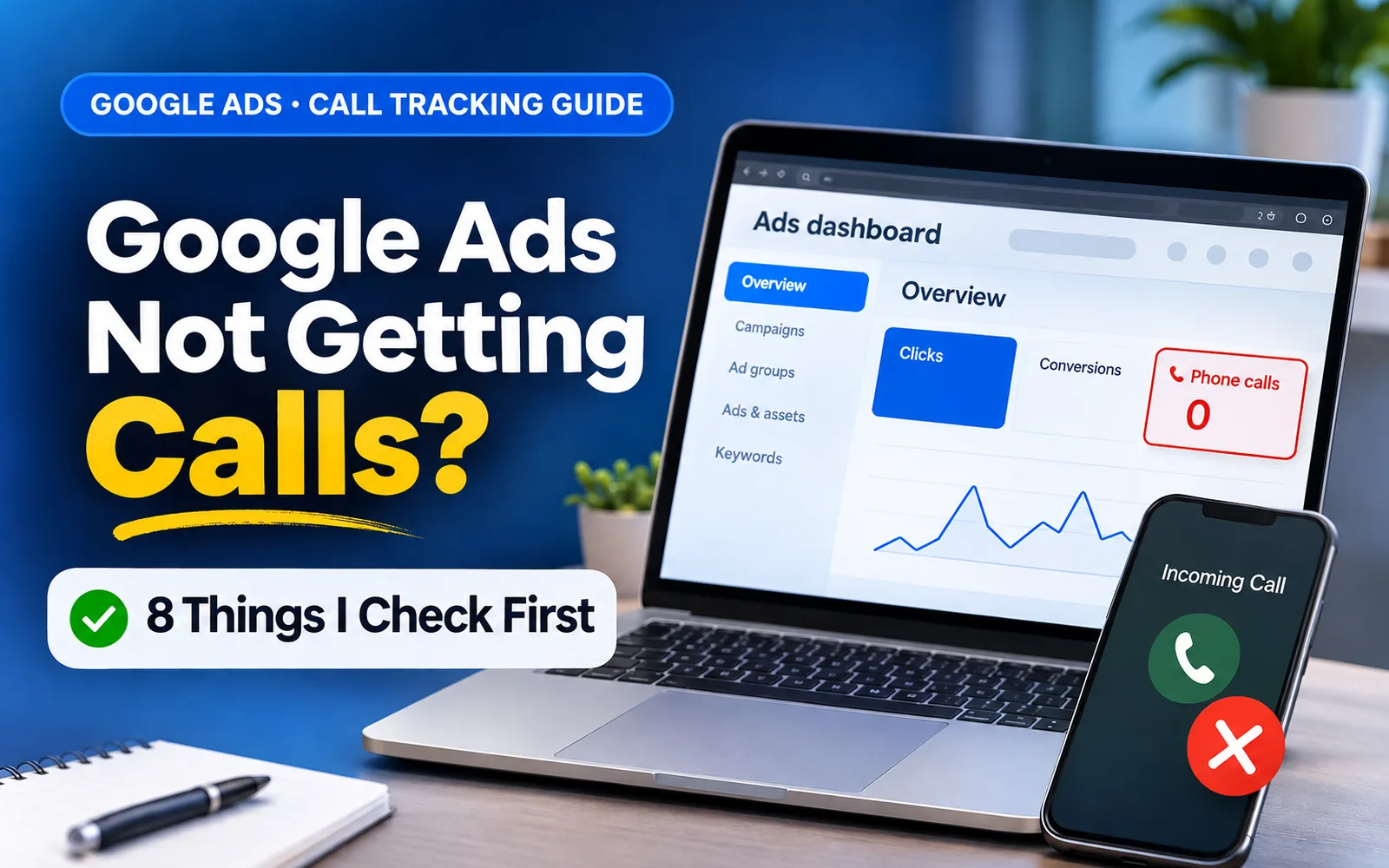
When Google Ads are not getting calls, most business owners assume the ads are broken or the budget is too small. In the accounts I audit for cleaners, skip hire firms and other local services, it’s rarely either. It’s usually something much more fixable.
This is the checklist I go through, in this order. Don’t raise the budget until you’ve been through it.
| What you see | Most likely cause | Where to check |
|---|---|---|
| Clicks but no calls recorded | Calls not tracked, or tracked wrongly | Conversions and call reporting |
| Calls, but wrong people | Wrong search terms or towns | Search terms report, location settings |
| Calls drop at certain times | Ads running when nobody answers | Ad schedule, call log |
| Clicks but no calls or forms | Landing page problem | Your page on a mobile phone |
Check the calls are really missing
Sometimes calls are coming in but nobody is counting them. Google can count calls from your ads as conversions when they last longer than a minimum length you set (Google Ads Help). Check that call reporting is switched on, that the conversion action exists, and that calls from your website number are tracked too. Then compare with your phone log.
If calls aren’t tracked yet, this is how I set them up in Google Ads: Goals → Conversions → Summary → New conversion action → Phone calls. There are three main options:
- Calls from ads using call assets: counts people who call straight from the ad. Set a minimum call length so short and wrong-number calls don’t count. In the padel club example below, I used 30 seconds.
- Calls to a phone number on your website: Google swaps your number for a forwarding number for people who came from an ad, so those calls can be counted too. It needs the Google tag on your site.
- Clicks on your number on your mobile website: counts taps on the number. Useful, but a tap isn’t always a real call, so I don’t rely on it alone.
Call reporting with forwarding numbers isn’t available in every country, so check the Google Ads Help page for yours.
Read the search terms report
This is where most of the money goes missing. Look at the actual searches that triggered your ads over the last 30 days. Job hunters, DIY questions, people wanting a different service and competitors’ names all show up here. Add them as negative keywords and check again every week.
Free 30-min ads audit
Want me to look at your ads?
On a free 30-minute call I’ll go through your ads and tracking with you and show you where enquiries are slipping away, whether you hire me or not.
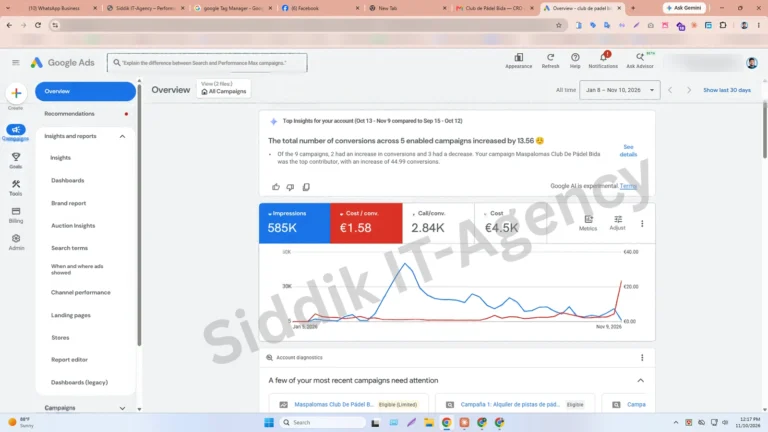
Book My Free AuditReal result: how a padel club got 2.84K calls and form leads at €1.58 each →
Check the location option
Google’s default can show ads to people who are only interested in your area, not in it. For a local service, use Presence, so ads reach people in or regularly in the places you cover (Google Ads Help). It’s one of the first settings I check in any local account.
Make sure ads run when someone can answer
If call ads run at 9pm and nobody picks up, those clicks are wasted, and the people who do get through may hang up. Match the ad schedule and call assets to your real opening hours, then look at which hours bring calls and which only bring clicks.
Look at your page on a phone
Most local searches happen on mobile. Open your landing page on your own phone and ask:
- Can I see the phone number and a call button without scrolling?
- Does the first screen say what you do and which areas you cover?
- Does the page load quickly on mobile data?
- Is there a short form for people who’d rather not call?
If the answer to any of these is no, fix the page before spending more. A landing page built for enquiries often makes a bigger difference than any bid change.
Match the ad and page to the search
Someone searching for end of tenancy cleaning, or an 8 yard skip, wants to land on that exact service, with a price guide. Sending every click to the home page makes people go back and click the next ad.
Check you’re showing at the busy times
If your daily budget runs out by lunchtime, you miss the afternoon calls. Check the impression share lost to budget in your campaign columns. If it’s high, narrow the keywords or area before you raise the budget, so the money lasts the whole day.
Answer, and call back fast
Calls that go to voicemail are lost bookings. Firms that replied within an hour were nearly seven times more likely to qualify a lead in a study of 1.25 million leads (HBR, 2011). Check your missed calls every day and ring back within minutes.
A real example: a padel club in Gran Canaria
A padel club in Gran Canaria came to me with exactly this problem. They were spending on Google Ads every day, but very few calls came in, and the number of calls Google reported didn’t match the club’s own records.
When I went through the account and the landing page, I found three of the problems above at the same time:
- No call assets on the lead campaign, so people couldn’t call straight from the ad.
- A broken call button. The phone number and call button on the landing page didn’t work, so people who tapped them got nothing.
- No call tracking. Calls weren’t set up as conversions, so Google had no idea which clicks turned into calls.
This is what I changed:
- Fixed the landing page so the number and call button worked, and made it easier to act on from a phone.
- Added call assets to the campaign.
- Set up call conversion tracking with a Google forwarding number on the landing page. A call only counts when it lasts 30 seconds or more, so wrong numbers and hang-ups don’t.
- Rebuilt the keywords around the club’s services, fixed the location settings, and added the irrelevant searches from the search terms report as negative keywords.
Calls started coming in within about a week of the changes. I still manage the account today.
Want a hand with this?
If you’d rather someone else went through this, I’m happy to. I’m Abubokor Siddik, and at Siddik IT-Agency I manage Google Ads for local service businesses in the UK, US and Europe.
Book a free 30-minute audit and I’ll go through these eight points on your account and tell you plainly what’s stopping the calls.
- Book here: contact Siddik IT-Agency
- Or message me on WhatsApp
- Email: agencysiddikit@gmail.com
Quick answers
How long before Google Ads start getting calls?
A well set-up Search campaign can bring calls in the first week. Give it two to four weeks of data before judging cost per call, and longer if your budget is small.
Should I use call-only ads?
They can suit urgent services, but you lose the chance to show your prices and reviews on a page first. I usually start with normal ads plus call assets, then test call-only.
More guides for local services: Google Ads for skip hire and Google Ads for cleaning companies.
Settings described are based on the Google Ads Help pages linked above and may change.